





PiobMasterPro 5.0 Overview
PiobMasterPro 5.0 represents the next generation in bagpipe notation software, combining groundbreaking innovation with the return of community-favorite workflows. Engineered for pipers, instructors, and publishers alike, Version 5.0 delivers an unmatched blend of speed, flexibility, and intelligent notation tools.
What’s New in Version 5.0
- World-First Live MIDI Chanter Input: Compose at the speed of piping. Connect an electronic MIDI chanter, play your tune, and watch your sheet music write itself in seconds—eliminating tedious manual note clicking.
- Dual-Mode Document Creation: Tailor your workspace to the project. Choose Classic Mode (replicating the streamlined PiobMaster 2.3 interface for rapid writing) or Pro Mode (for maximum layout flexibility and advanced publishing).
- Reinstated Classic Editing Workflows: By popular demand from PiobMaster 2.3, version 5.0 brings back Floating Toolbars (for quick access to Notes, Embellishments, Doublings, and Piobaireachd Movements) and hands-on Graphical Note Grouping directly on the page, bypassing property dialog menus.
- Intelligent Auto-Correction: Write with total confidence. Built-in automatic error correction detects and fixes timing and scoring mistakes as you compose, ensuring publication-ready scores.
- Visual "Show Beats" Touch: Takes the guesswork out of complex time signatures. This brand-new visual feature clearly highlights which notes belong to each beat in a bar—ideal for both learners and teachers.
- Full MIDI Import & Export: Seamlessly move files in and out of PiobMasterPro 5.0. Import external MIDI files to generate scores, or export directly to your digital audio workstation (DAW) for digital production.
What's New in PiobMasterPro 5.0
Version 5.0 introduces groundbreaking workflow improvements and highly requested community features:
MIDI Chanter Input
Plug in or connect your electronic chanter and play in real time. Play your tune, and watch your sheet music write itself.
Restored Fan-Favorite Features
We've brought back much-loved functionality, including Classic 2.3 document creation mode, easy graphical note grouping, and returning floating toolbars.
Smart Auto-Correction
Your personal piping proofreader instantly flags and corrects time signature and rhythm inconsistencies so you can spend less time editing.
Visual "Show Beats" Tool
Easily identify note grouping boundaries per beat—making learning, teaching, and complex time signature editing easier than ever.
Full MIDI Import & Export
Seamlessly import and export MIDI files directly into and out of PiobMasterPro 5.0, bridging your bagpipe scores with modern audio software.
Dual-Mode Editing Interface
Switch dynamically between streamlined Classic mode for rapid composition and flexible Pro mode for desktop publishing layouts.
The Evolution of Bagpipe Music Notation
PiobMasterPro 5.0 bridges the gap between traditional piping performance and modern digital publishing through cutting-edge real-time hardware integration.
Digital Chanter & Setup
To use live MIDI chanter input with PiobMasterPro 5.0, you will require the following setup components. Please note that to date, we have only tested with the Faegerstrom technopipes at present, but future versions will be tested against other digital chanters if users require it.
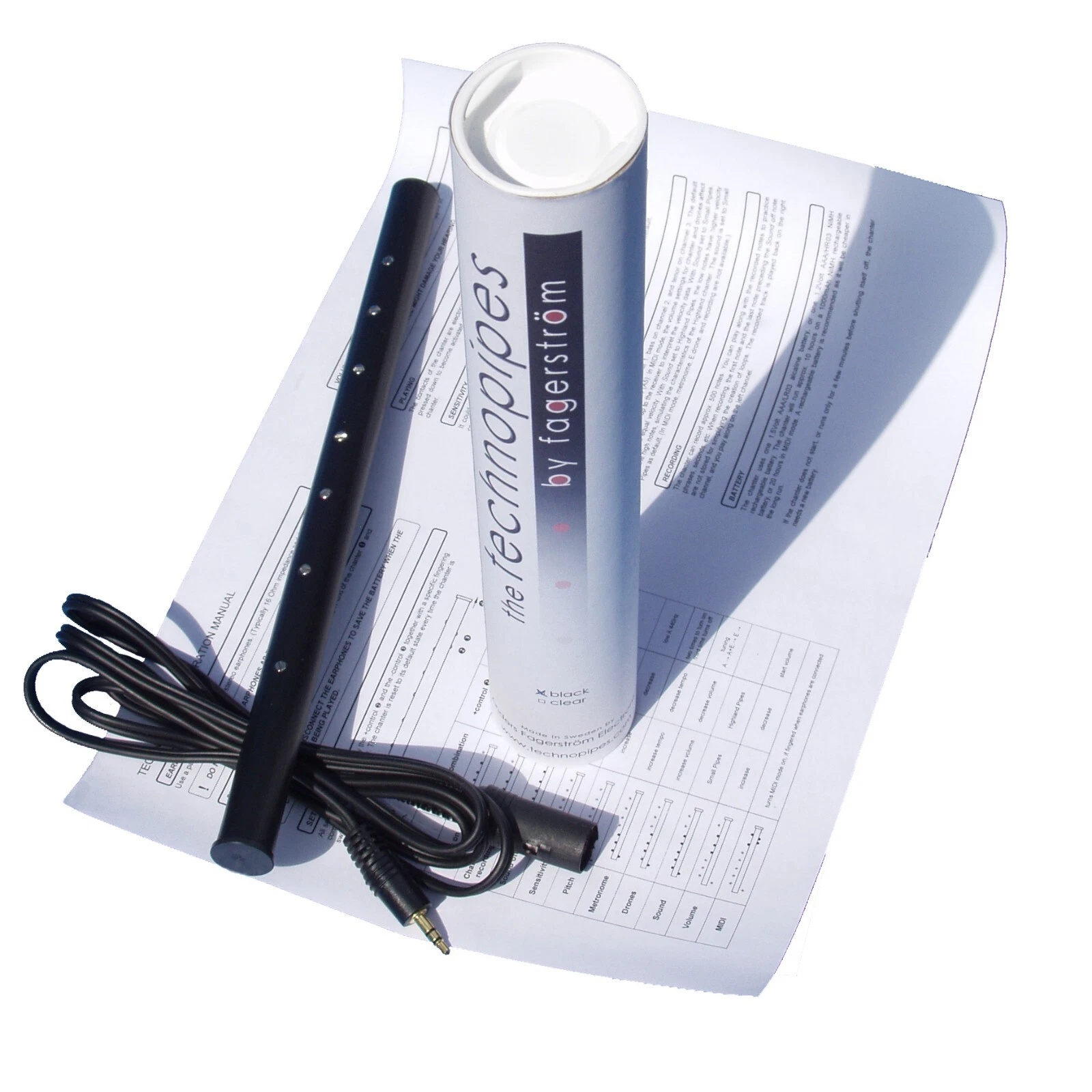
1) Faegerstrom technopipes
The Faegerstrom technopipe is an exceptional electronic practice chanter featuring real hole sensors that deliver an authentic fingering feel. Designed to interface smoothly with software environments, it provides clean, low-latency MIDI data output directly to PiobMasterPro 5.0, allowing you to practice silently or compose rapidly using standard bagpipe fingering.
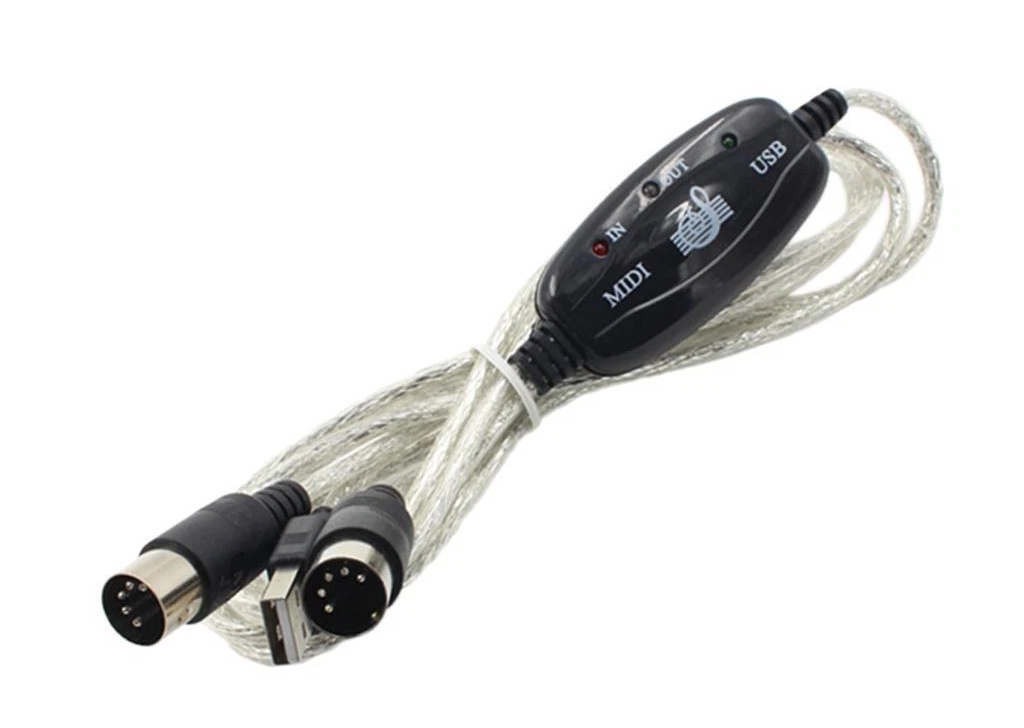
2) MIDI Converter Cable
For legacy hardware or standard electronic chanters equipped with 5-pin MIDI output ports, a reliable USB-to-MIDI interface cable bridges the connection to your computer. This hardware translator converts raw serial MIDI messages into clean digital signals recognized instantly by Windows and PiobMasterPro without dropped notes or signal degradation.

3) ASIO4ALL Driver
To achieve flawless real-time performance transcription, audio latency must be eliminated. The ASIO4ALL driver provides low-latency audio and MIDI handling for Windows sound cards, ensuring that the exact microsecond you strike a note on your chanter matches the visual notation rendering and audio sample playback on screen. You can download the driver directly from the Download – ASIO4ALL Official Home page.
PiobMaster Setup & MIDI Item Controls
The dedicated MIDI input ribbon provides precision parameter management right at your fingertips. Below is a detailed explanation of each control item:


Record Button
Arms the live transcription engine to begin recording your performance data as soon as you start playing, seamlessly capturing every note and embellishment into the selected score measure.
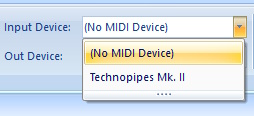
Input Device Selector
Selects your active hardware interface from a dropdown list of connected USB or virtual MIDI driver inputs, ensuring the software actively listens to your specific electronic chanter (Technopipes Mk. II) or hardware translator.

Ability Slider (Quantize Sensitivity)
Adjusts timing tolerance levels dynamically to clean up note cut-offs and embellishment timing discrepancies, ensuring human performance fluctuations are neatly translated into strict rhythmic values.

Dynamic Tempo Slider & BPM Control
Effortlessly dial in your exact target Beats Per Minute (BPM) using an expanded, high-precision slider control. Instantly calibrate playback speed and real-time transcription tracking to match your exact performance pace, from slow strathspey study to blistering reel tempos.
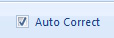
Advanced Auto-Correction Engine
Harness smart algorithmic error detection that automatically scans incoming chanter notes on the fly. It intelligently resolves subtle rhythmic jitter, aligns grace-note clusters, and removes inadvertent micro-pauses—delivering immaculate, publication-ready traditional scores instantly.

Click Track
Toggles an audible click track and visual beat reference to keep your performance tightly synchronized to a steady tempo while recording live notation data.

Sound Font Selection
Choose the instrument sound used for playback and live note echoing. By default, the program uses its built-in sound set, but you can point it to any custom SoundFont file (.sf2)—such as a different sounding bagpipe sample set—to use those sounds instead. Your file location preference is remembered automatically, so you only need to configure it once.

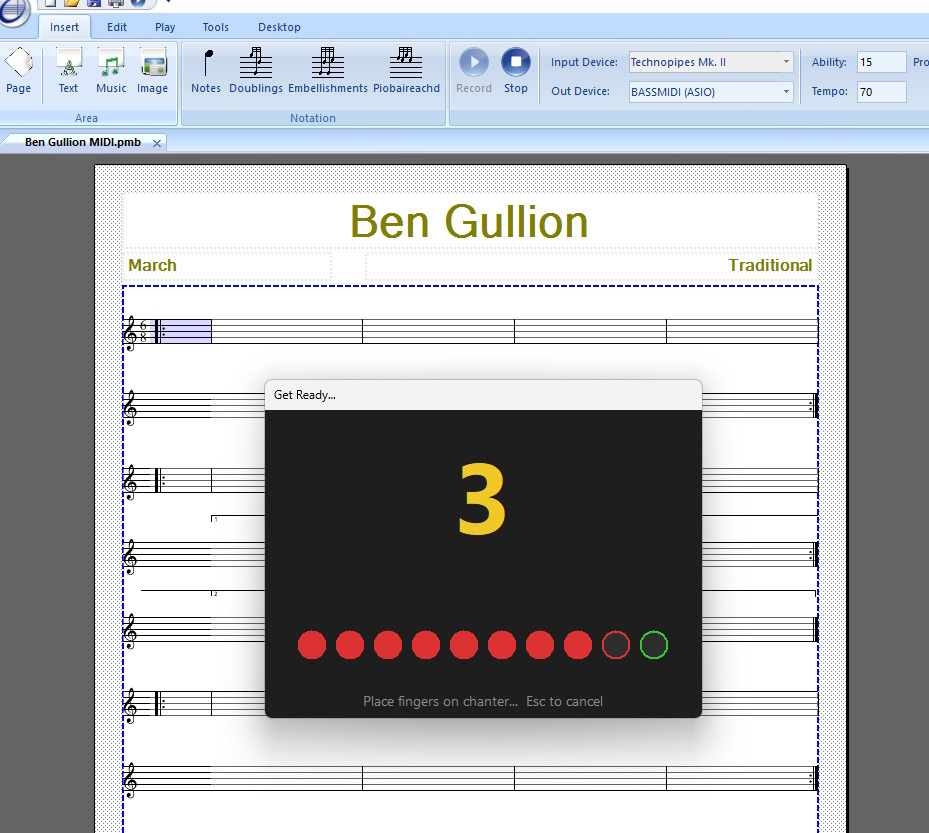
Count-In Bar Selector & Countdown Timer
Sets a pre-recording bar count-in delay so you can steady your thoughts and prepare your fingers before live audio transcription officially begins. The visual countdown timer displays large, clear beats on screen alongside a click track, ensuring you perfectly synchronize your entry with the target tempo.
Playing Your Tune for Automated Notation
Transforming your physical fingerwork into a pristine digital manuscript is effortless when following this streamlined workflow:
Set Tune Structure & Arm
Define your tune structure(Time signature, number of parts, and repeats) using Pro Mode, Classic Mode or the Quick Start wizard, then click the the bar you want to start recording from, then click the Record button on the MIDI toolbar.
Play in Real Time
The countdown window will appear, and begin to countdown from the value set, and at the tempo defined. Play your tune naturally on your electronic chanter at the actual tempo. REMEBER TO PLAY EXACTLY TO THE TEMPO PiobMasterPro will interpret all notes, doublings and embellishments on the fly as you perform.
This will take a little practice to get right.
Auto-Quantize & Proofreading Correction
The built-in intelligent engine processes the performance data, cleaning up rhythm inconsistencies and automatically applying publication-grade formatting.
Review & Export
Review your fully typeset sheet music on screen, make minor tweaks if necessary using floating toolbars, and export or print your completed score instantly.
Comprehensive Feature Set
Explore the complete range of notation, publishing, and audio capabilities built into PiobMasterPro 5.0:
Buy PiobMasterPro 5.0
Before purchasing your license below, ensure you have downloaded the full Trial version first from the Software Download Page.
Single License (Download)
The World PipeBand Championships, Glasgow, Scotland 2026
WORLDS26
All Licenses Include:
Videos & Screenshot Gallery
See PiobMasterPro 5.0 in action with our embedded video demonstration and screenshot gallery previews:
PiobMasterPro 5.0 MIDI Chanter Demonstration
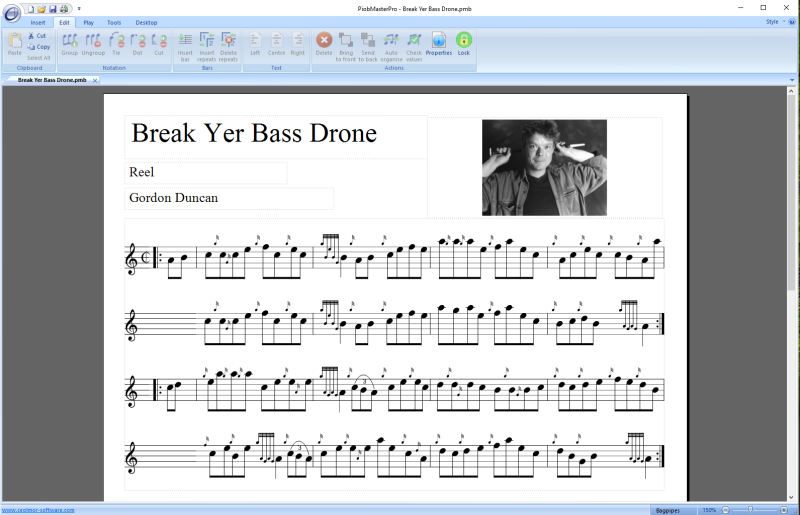 Break Yer Bass Drone Score Layout |
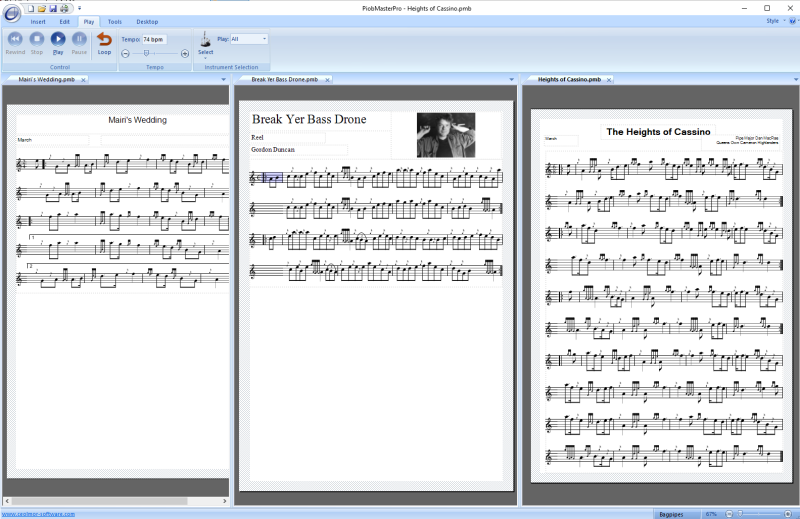 Triple Tune Score Layout |
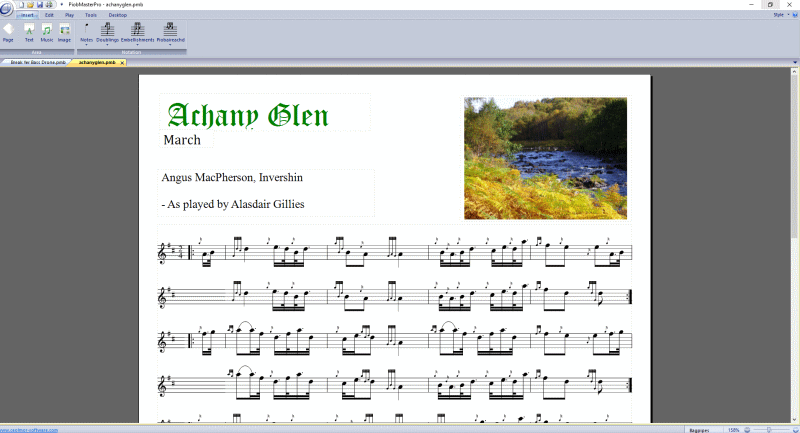 Achany Glen Score Layout |
Fagerstrom Technopipes Chanter |
|
USB to MIDI Converter Cable |
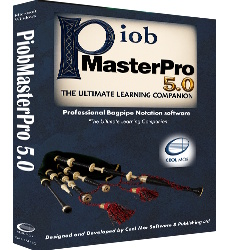 PiobMasterPro 5.0 Software |
 View more video guides on the official CeolMor YouTube Channel |
|


